


One of the many great things about dbt is that it provides some really useful shortcuts to allow you to quickly fill in code without having to write it out manually. Here are three of my favorite examples:
The double underscore trick
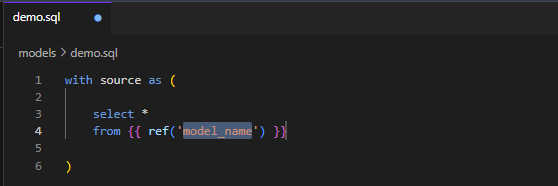
You can type two underscores when you're editing a file in dbt to bring up suggestions that will fill in some template code. Here's an example in which I use the ref macro without having to have memorized the syntax:

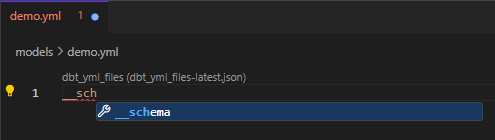
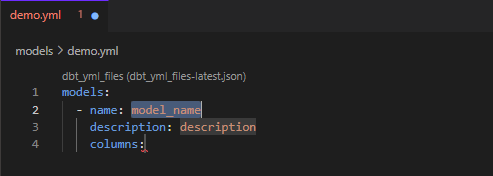
This trick isn't limited to just SQL files. Here's an example in which I fill out the basics of a YAML file using __schema:
Creating staging models with a click
While defining your sources in a YAML file, you may have noticed some text that says 'Generate model'. Clicking on this will automatically create a staging model for you that you can then customize according to your needs:
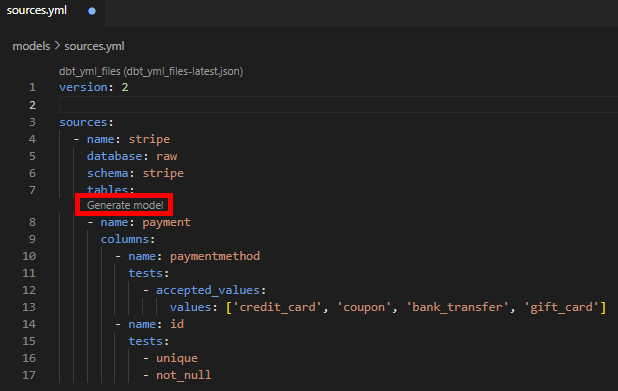
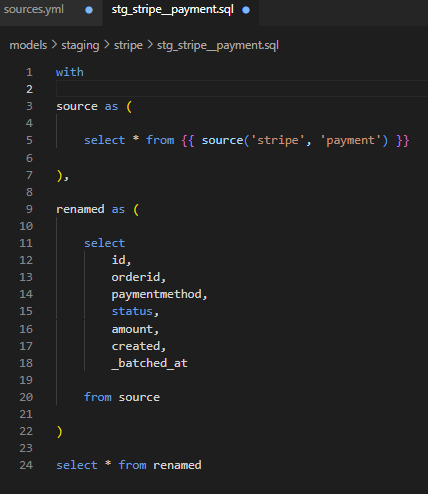
Notice how you don't have to list all the columns of that source. dbt is able to infer them and list each of them explicitly, saving you a lot of typing when you're renaming.
Using codegen to quickly create files
codegen is a useful package containing macros that can create files for you and save you a lot of time. You can find more information about it on the dbt Package Hub.
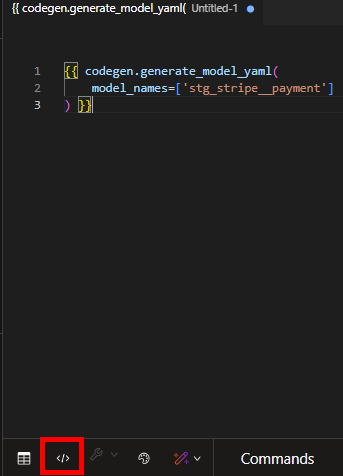
There are a few different things it can do but one example is to generate the YAML file for a model. All you need to do is copy the code from the page linked above into an empty file in dbt and fill in the model name. Then click compile and the compiled code shown will contain the code you need for that model's YAML file.
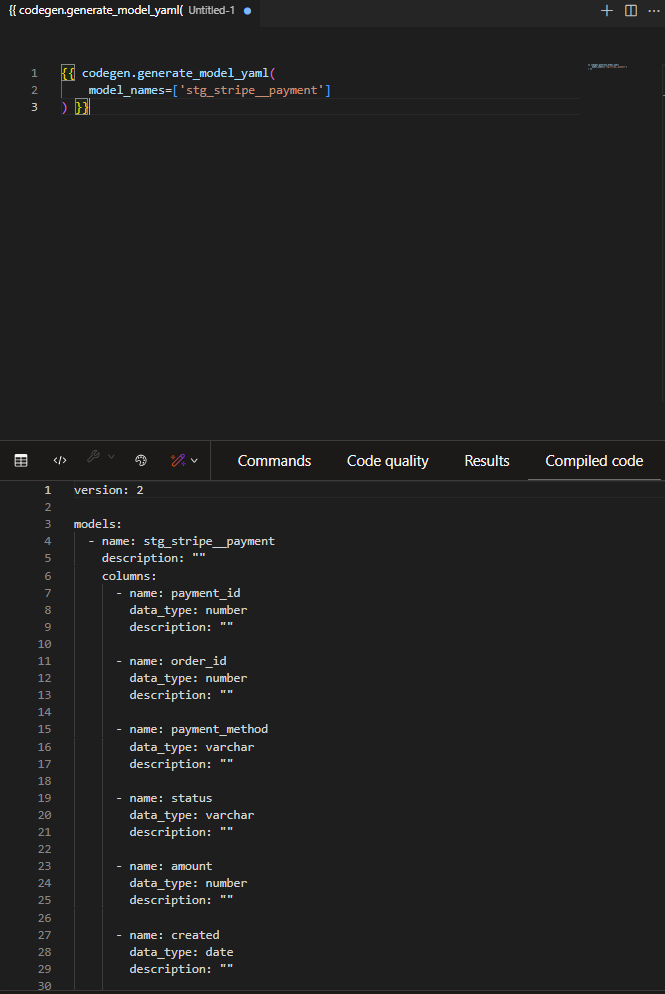
It correctly lists out the names and data types of all the columns. You'll still need to fill out descriptions and anything else you'd like to add but it will save you a lot of work.