


What are Sets and Parameters?
Sets are for grouping data (deciding who is "In" vs "Out"), while Parameters are input dials that let users change a value in a calculation or filter.
You can use sets and parameters to upgrade the interactivity in your dashboard, this blog will show you some of the cool things you can do!
Drill down to a lower level of granularity using sets and parameters:
Ouput:
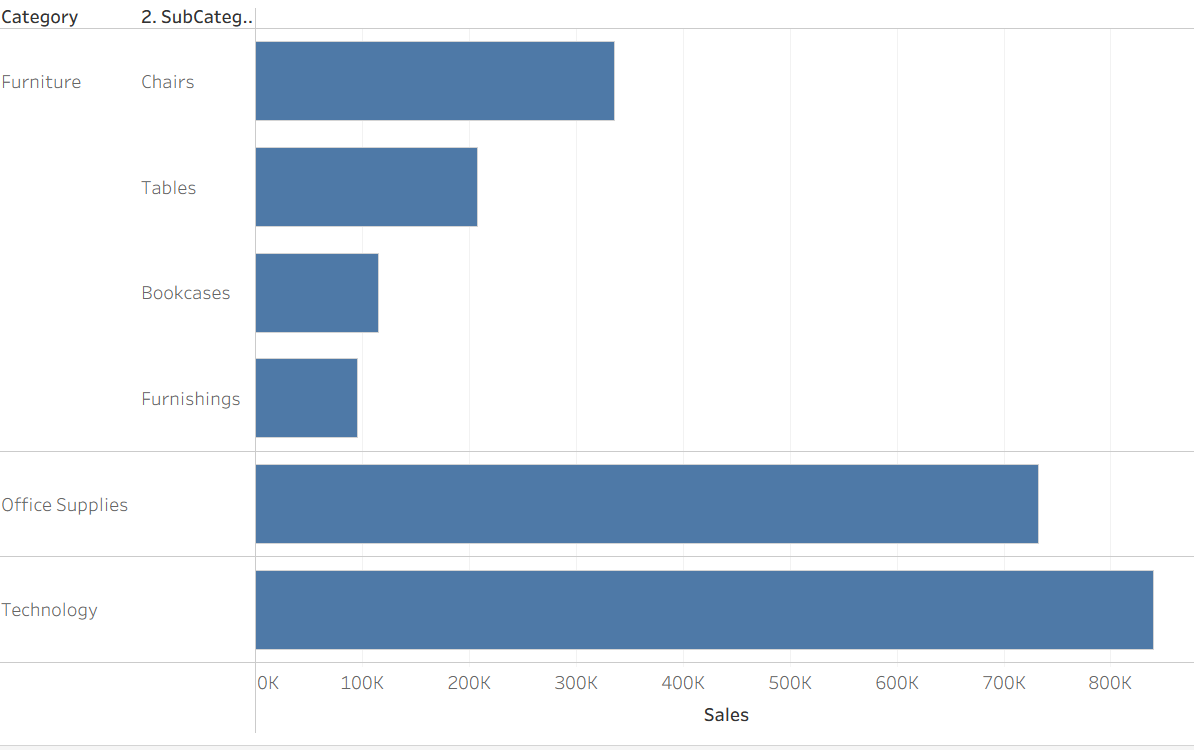
This allows a drill down from Category to subcategory when the category is selected.
SETS:
- Create a set on the dimension you want to drill down
- In the example above we would create the set on category, select any category and click OK.
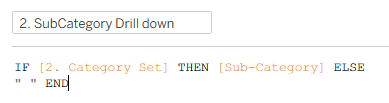
- Then we need to create a calculated field.
- This calculation tells the view what to show when someone is "In" the set. Place the calculated field next to the main dimension.
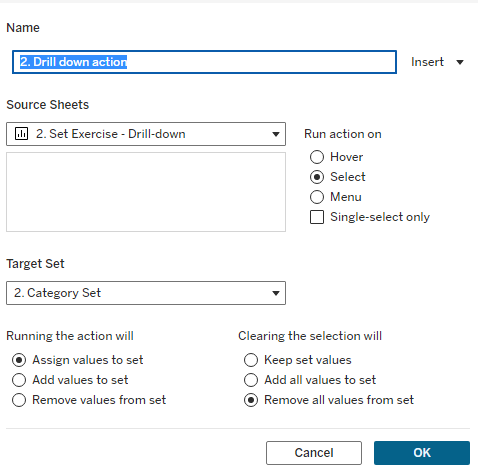
- Finally we add a dashboard/worksheet action so that tableau can identify that the user has selected a category, enter the category selected into the category set and then that triggers the calculated field to rerun its logic. (make sure you select change set values)
PARAMETERS:
It's a similar logic with parameters.
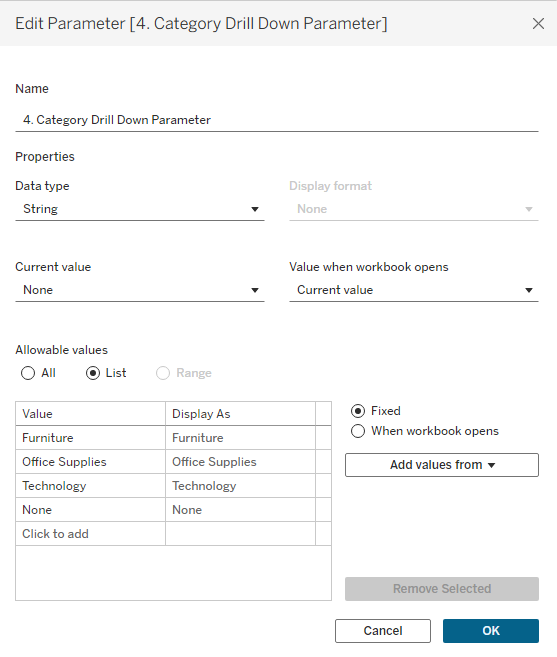
- Create a parameter on the dimension you want to drill down.
- In this instance I have chosen the data type as string, and selected list. In other examples you can use integers for numerical data/ dates and more.
- Then we create a calculated field.
a. This checks if the parameter matches the dimension.

- Create a worksheet/dashboard action. Make sure to select change parameter
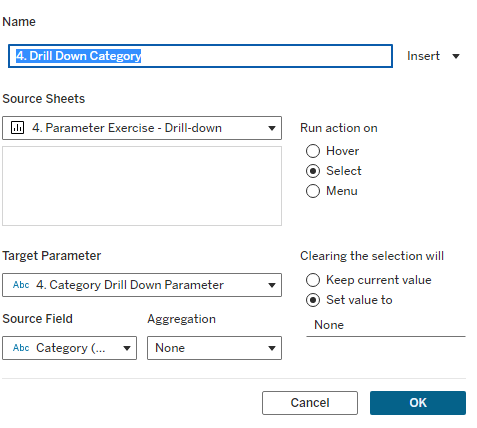
The clearing the selection will: set value to "None" will deselect everything as there is not a category named "None".
Differences between sets and parameters:
- Sets can select multiple items at once where as parameters usually holds only one value at a time.
- Sets are however tied to a specific dimension where are parameters can be used against multiple data sources.