


APIs (Application Programming Interfaces) are tools that allow different pieces of software to communicate with each other. Most websites have their own APIs, which makes it much easier to extract data once you know how to connect to them. Learning to use APIs in Alteryx lets you to connect to a wide range of platforms across the internet, opening up a whole new world of data possibilities.
How do APIs work?
APIs act as a middle layer between you and an external database. While companies don’t want to give the public full, unrestricted access to their data, they still want to share certain pieces of information to improve their services. By setting up an API that can securely communicate with their database and return specific data, they’re able to stay protected while still giving users access to the information they need.
When wanting food from a restaurant, unfortunately it would not be a sustainable system for you to have the option to walk straight into the kitchen and take food right from the chef's pots and pans. Waiters are a necessary middle man to keep things running smoothly and safely.
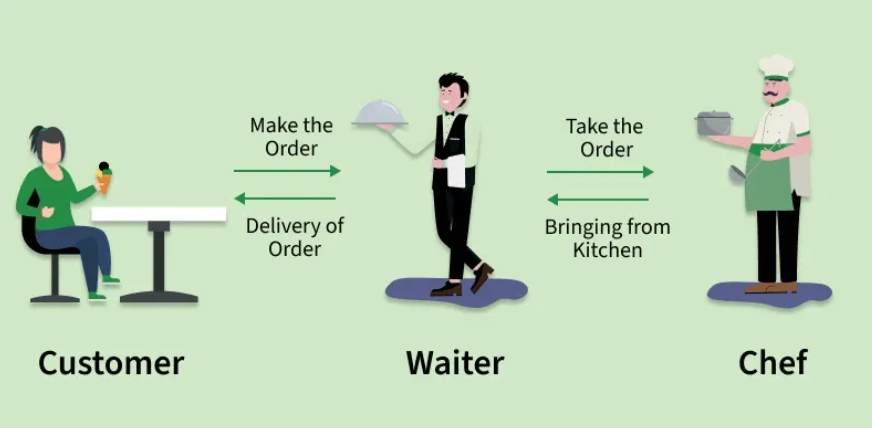
In this same way, APIs are a necessary middle man between you and an external database.
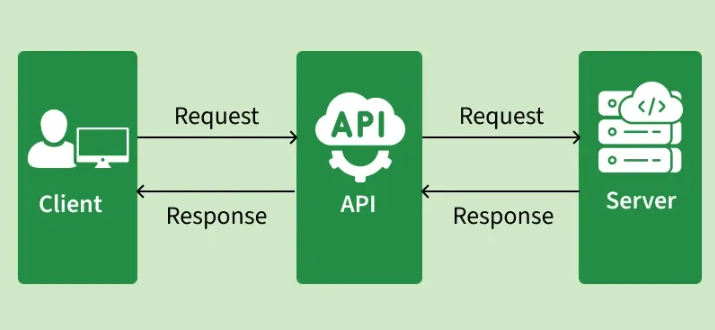
How can APIs be used in Alteryx?
APIs can be connected to, called, and retrieve data all in Alteryx. I will walk through this full process using the example of the "Dad Joke API" (https://icanhazdadjoke.com/api).
Before heading straight to Alteryx, it is important to consult the documentation of the API you want to connect to. Every API is accessed in a slightly different way with slightly different terminology, which is all written down in their API documentation. By heading to the Dad Joke API website, I can figure out exactly how to talk to the API.
To fetch a random dad joke, we're told to use this link:

The data can be returned in any of these 3 formats:
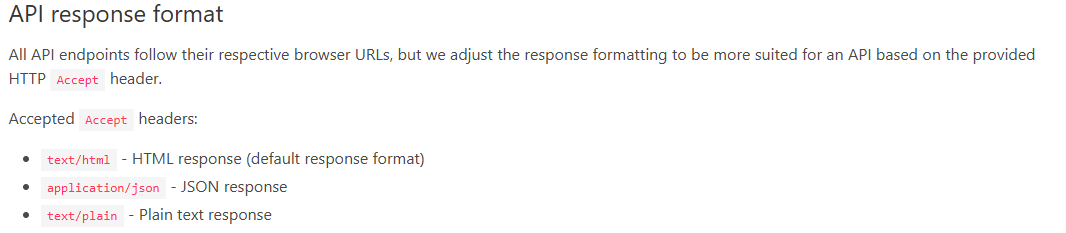
They also ask that everyone using the API identifies themselves with a custom header:

With these 3 pieces documentation, we now know enough to connect to the API in Alteryx. To start, create a text input tool. In it, create 3 columns: the first titled URL with the value being the URL needed to access the API, the second titled Accept with the value being the formatting of how we want the data returned (in this case text/plain), and the third titled User-Agent with the value being a unique identification header.
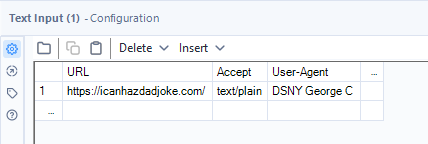
We know to name the columns in this exact way because this API documentation told us that this is the way to communicate with this API. Other APIs might require different terminology.
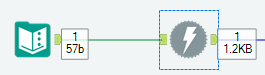
Next, connect a Download tool to the input tool.
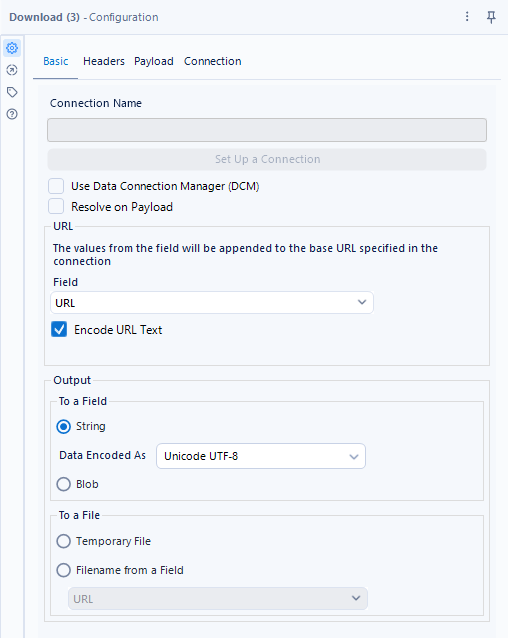
To configure the download tool, we need to tell it exactly how to call the API. In the Basic tab, make sure the column "URL" is selected for the URL field, and check "encode URL text". Make sure the output is returning as a String.
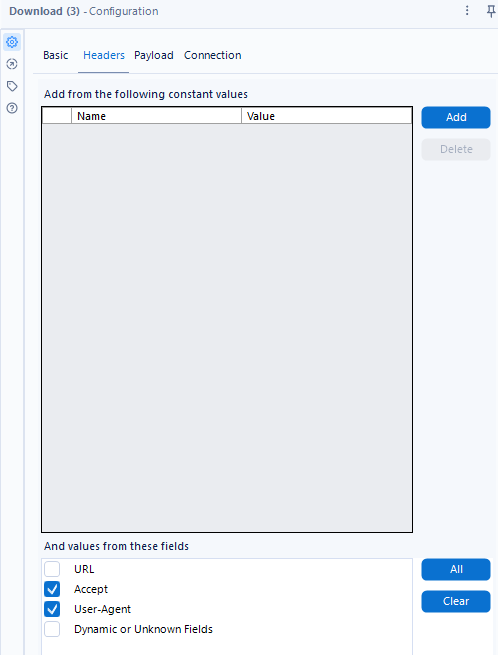
Next, flip to the Headers tab. Since we already have the Accept and User-Agent information in our text input tool, all we have to do is check those 2 boxes at the bottom of the screen.
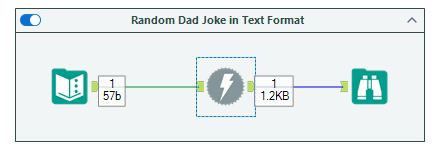
With all the setup complete, we now are able to call the API and retrieve a random dad joke from their server. Attach a browse tool, hit run, and laugh at the amazing joke that will be returned!
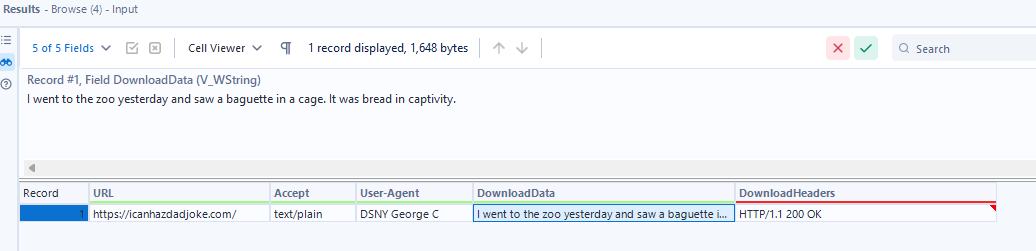
With this knowledge of APIs and how to use them in Alteryx, you are now able to access thousands of different APIs all across the internet. Hopefully this blog gives you the ability to connect and view data from some of your favorite websites.
A few fun API recommendations to further practice with are:
Star Wars API: https://swapi.dev/
Nasa API: https://api.nasa.gov/
Rick and Morty API: https://rickandmortyapi.com/