


Starting a new python project for the first time can be intimidating, and there is a lot to consider before you even type in any python. General requirements for this would be: a rough understanding/awareness of Git, and python installed on your device. I would also recommend VSCode or a similar application for executing this as it's easier to view your git branches, folders, and terminals at the same time.
I would recommend treating this as a 'to-do' list, more than a resource for developing a comprehensive understanding of all aspects. I found it difficult to know where and in what order to execute things before writing it all down, so hopefully this will help.
A summary of this is below:
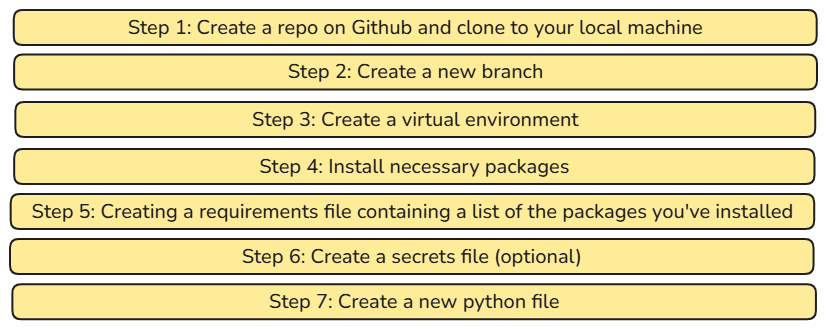
Step 1: Create a repo on Github and clone to your local machine
I won't go into specifics on how to execute, but if this is for a new project you need to create a new repository on Github (online). With this, I would ensure you include a .gitignore file - this is critical as it tells Git which files and folders to ignore, meaning they won't be included when you commit your changes to GitHub.
You should then copy this to your local machine, meaning it will essentially create a new folder on your device containing all the code/files for the project.
Step 2: Create a new branch
In your terminal, type "git switch -c "Insert branch name here"
This will create a new branch for you to develop a new feature for your project. Working on a branch that isn't your main provides a safe way for you to work on your project and is generally best practice.
Step 3: Create and activate a virtual environment
Virtual environments are useful for making your projects more reproducible, and for isolating your work from the rest of your machine. It's a safe way to work on projects without conflicts from packages too.
In summary, it's essentially a way to begin a project on a clean slate. To set one up, in your command terminal, type in the following:
python -m venv .venv
To activate, type
.venv/Scripts/activate
Step 4: Install necessary packages
For most beginner projects, you can use pip install for the relevant packages.
Pip is the default package manager for Python. There are other package managers you can use but this will suffice for many scenarios. These are used to download and install modules that don't come with python natively.
For example, if your project uses secrets such as passwords or API keys, you can use a package called python-dotenv to help load these from a .env file rather than hard-coding them into your Python script.
In your terminal, type:
pip install python-dotenv
Step 5: Creating a requirements file containing a list of the packages you've installed
This is good practice when sharing projects with others - it makes your projects easier to reproduce. Fortunately there is a way to do this automatically - the less manual documentation the better!
In your terminal, type:
pip freeze > requirements.txt
When someone else wants to run your project, they can install the required packages using pip install -r requirements.txt, making it easy for both parties.
Step 6: Create a secrets file (optional)
If you have any secret information, such as passwords or API keys, you shouldn't hard-code these into your Python script. Instead, you can store them in a .env file and access them in your code using environment variables.
To use a .env file you'll need to download a specific package (called dotenv). If you didn't do this previously, type the following in the terminal:
pip install python-dotenv
Once this is done, create a new file and name it .env in your project's main folder. I would ensure this is added to your .gitignore before adding any secrets.
The structure would look like this:
Secret_Name = Your_Secret_Value
You can then load these variables into Python using python-dotenv.
Step 7: Create a new python file
Now everything is set up, you can create your python file. You can name it anything as long as it's suffixed with .py .