


Last week we had our introduction to APIs in Alteryx. An API is a way of requesting data from a website or service in a structured format, in this case using the Star Wars API (https://swapi.info/) to pull in data on characters from the franchise.
What we were trying to do
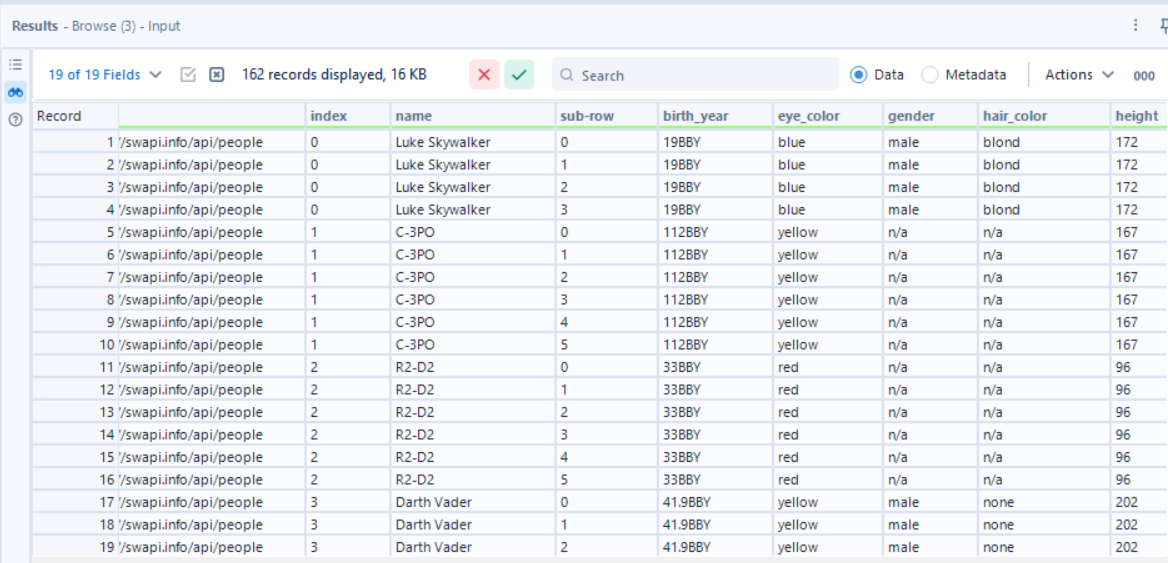
The aim was to use the Star Wars API to return information on characters such as their name, gender and height.
Getting the API response into Alteryx
I started by creating a field containing the API URL, in this case https://swapi.info/api/people.
That URL then fed into the Download tool, which sent the request and brought the response back into Alteryx as a string. From there, the JSON Parse tool let us start unpacking the API so I could get the information I wanted.
Making the JSON usable
Because the API response came back as JSON, the data was not laid out neatly in rows and columns. Instead, it had a nested structure, so the first thing we needed to understand was how deep that structure went.
To do that, we used a Formula tool with:
REGEX_CountMatches([JSON_Name], '\\.') + 1
This counted how many levels deep each part of the JSON was. So if a field looked like 0.films.0, that told us there were multiple layers to deal with rather than a flat table we could use straight away.
Once that was clear, we split the JSON_Name field into separate parts using Text to Columns, with a full stop as the delimiter. That created three fields, which were then renamed to index, header, and sub-row.
This made the structure much easier to work with. index identified the main record, header gave the field name, and sub-row (or which movie that character showed up in) showed where repeated nested values existed.
After that, a Select tool cleaned things up and a Filter tool split the workflow into two paths depending on whether sub-row was null or not. This was important because it separated the simpler values (characters who only show up in one film, shout out to General Grievous) from the repeated nested ones (characters who show up in multiple films). For the rows where sub-row was null, I grouped by URL and index. For the rows where sub-row was not null, I also grouped by sub-row so that extra level was retained. Then we joined them back together.
What I learned
The biggest thing I took from this was that calling the API was not really the difficult part. The more challenging part was understanding the structure of the returned JSON and reshaping it into a usable final output. Once I understood that and had seen that first output, APIs were much easier to understand.