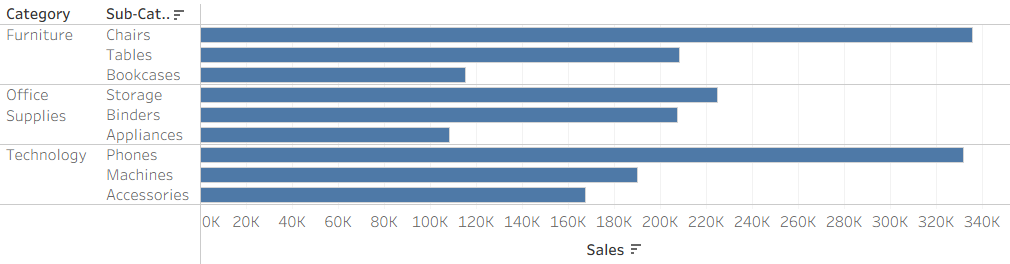
Have you ever tried to get the top 3 values for multiple groups in Tableau? The top 5 players on each team, the bottom 5 products for each category, top 3 songs in each genre?
Tableau's TOP filter allows you to choose a top N of values by a specified metric. This will update as you change other filters to dynamically maintain the top N. However, we run into a limitation when we try to see the top N of values within multiple groups as this filter will only and always apply on the full table level.
In order to get the results we're looking for we need to get creative.
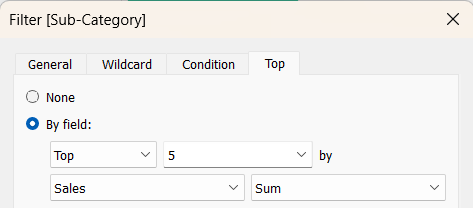
But first, why does this happen?
The reason that the top N filter isn't able to filter for the top values within different groupings is because Tableau's order of operations has top N filtering occurring before you might drag potential grouping fields into your view. Therefore the top is automatically calculated before you can break down your data to get the different sections.
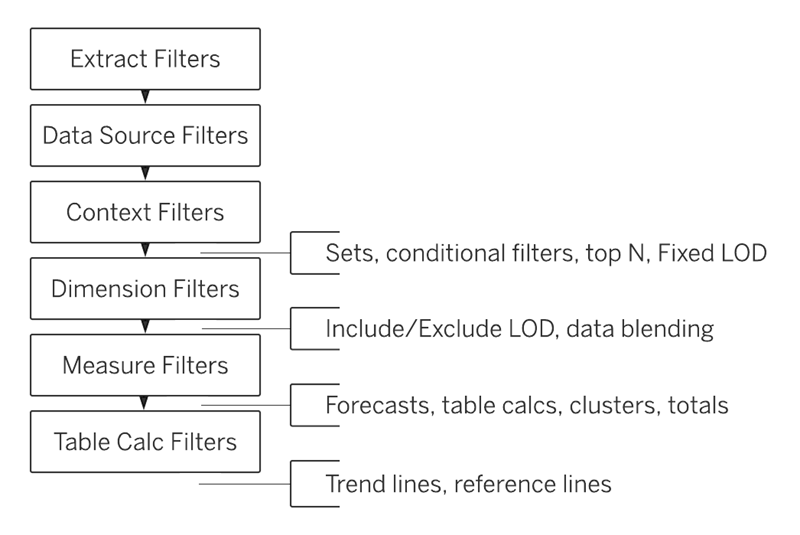
What's the work around?
In order to get the top N values for multiple subsections of your data we use RANK calculations.
Step 1: We can use quick table calculation to create a ranking that restarts within each section.
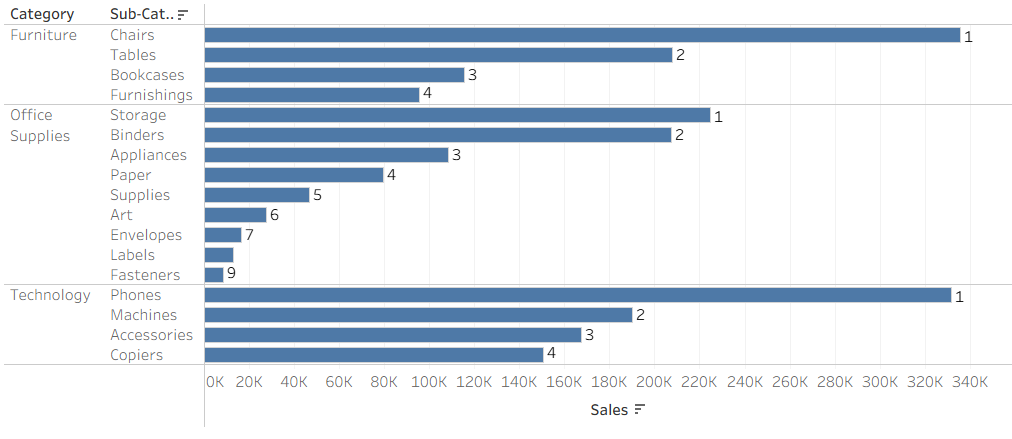
Each team's player ranking starts at 1 within the team. Song rankings restart at 1 - lowest for each genre, etc.
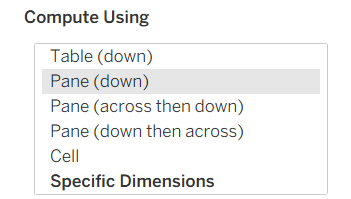
Depending on the range that you want the top N within you pick the relevant table calculation. Often pane calculations will be helpful here.

By right clicking on the field you want to rank you can add a Quick Table Calculation to create a new rankings field. You can also do this from normal Table Calculations and just set the calculation type to rank.
By default this will update the value itself, so if you want to continue showing the original values make sure to duplicate the field before calculating rank. This allows you to use it as a sort order instead of changing the value.
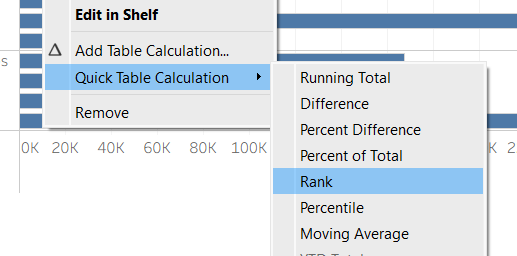
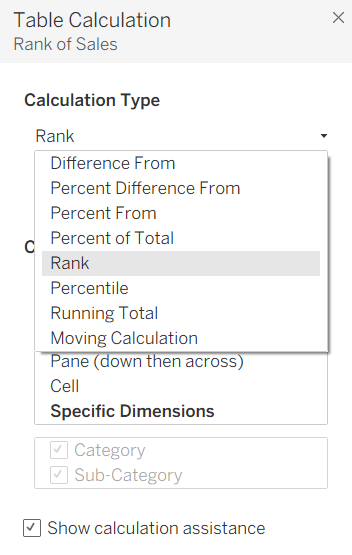
By default Rank table calculations will be for the entire table. You can change that to your chosen aggregate, by editing the table calculation and setting the Compute Using.
Once you have these ranking for each of your sections you can then filter the Top N on the rank table calculation.
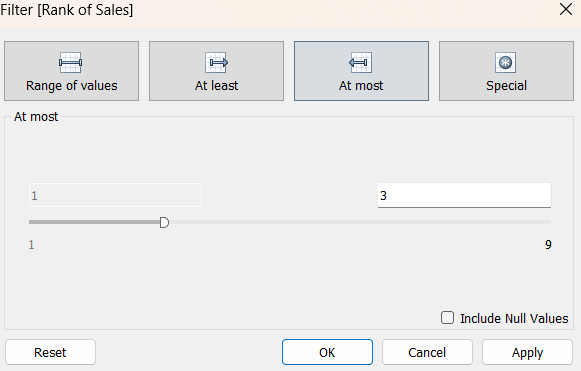
For instance, if you want the top 3 then you can now add these rankings as a filter.
Now you can see the top N value within each group you'd like to see!