


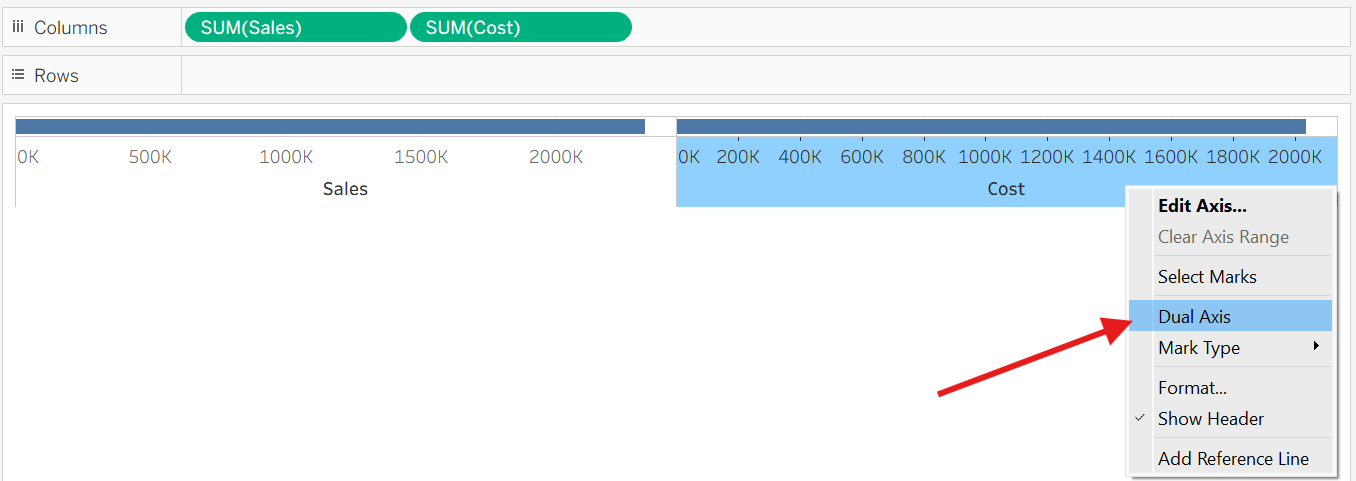
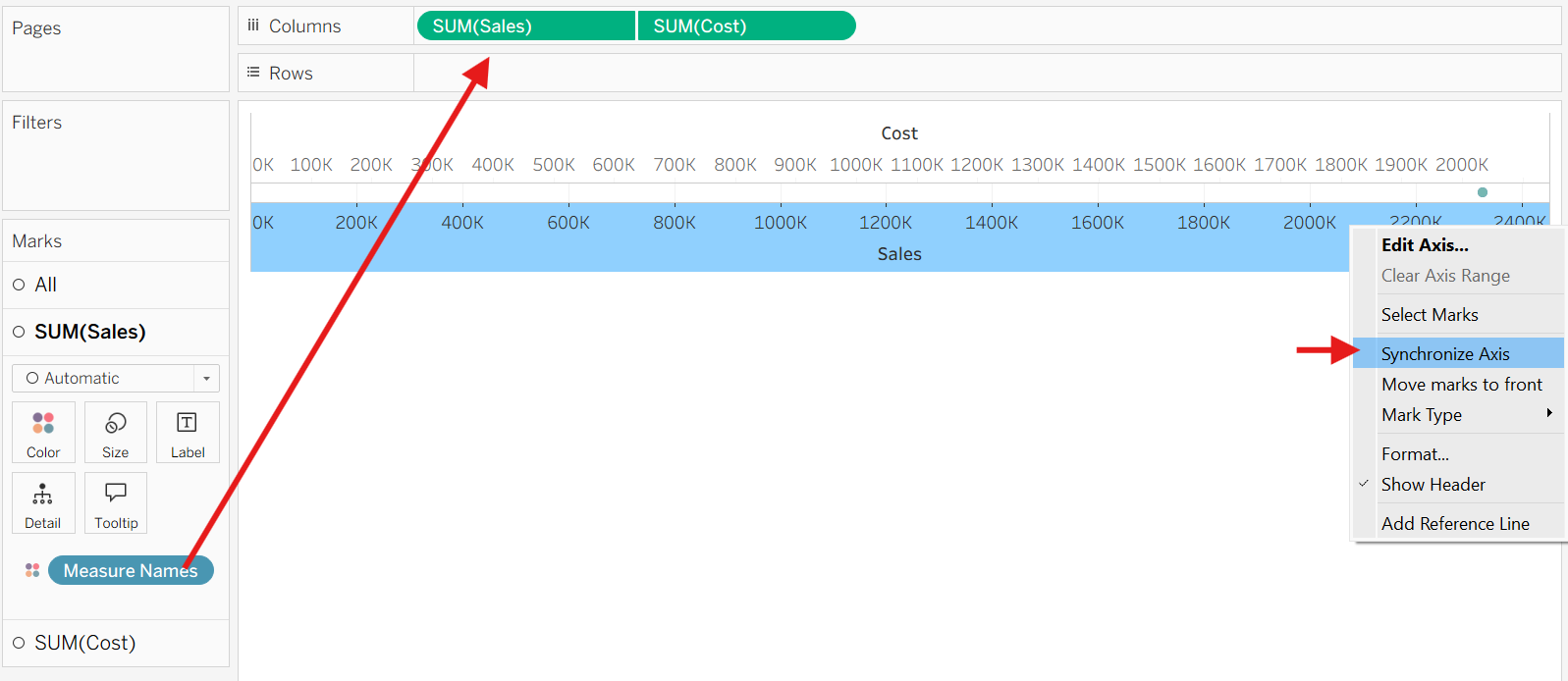
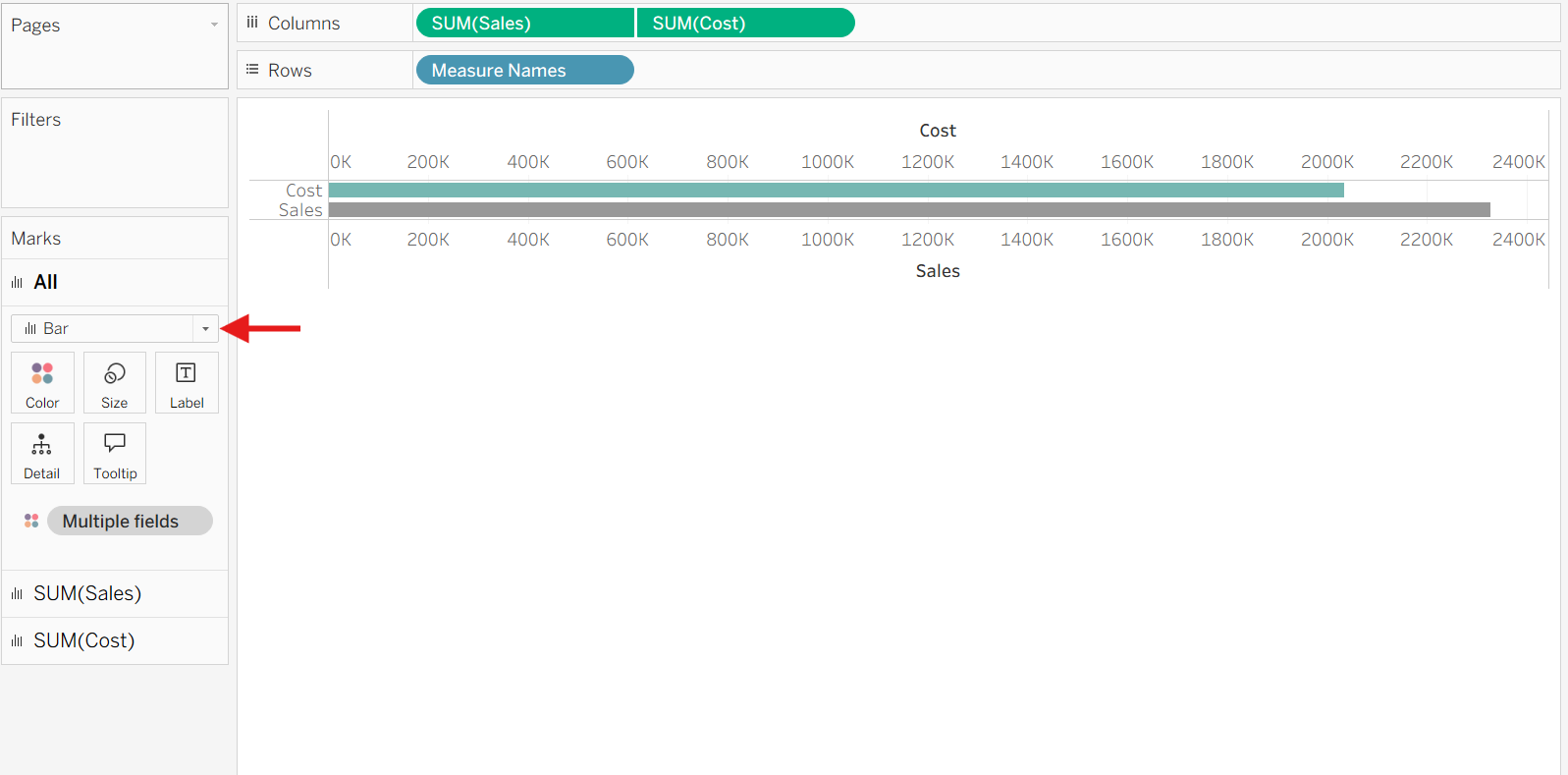
Say you want to compare two measures side to side: Sales vs Cost. You can do this by using dual axis.
Now, try adding a third measure to compare - like Target - and you will see that there is no option to do dual axis anymore.
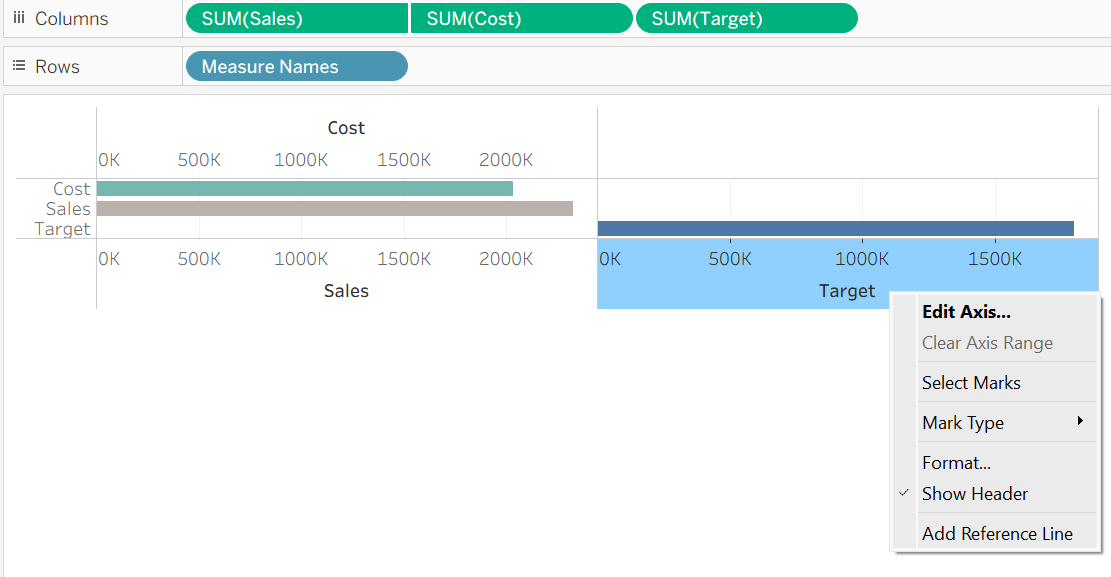
What is the solution to this?
A simple solution is to just drag the Target into the axis.
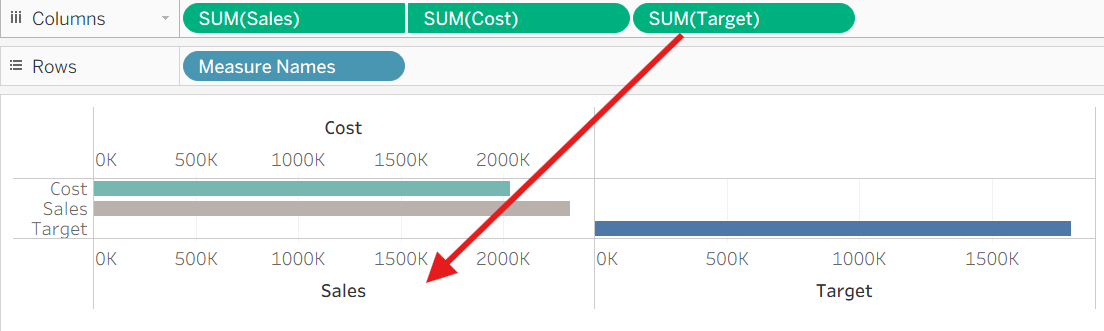
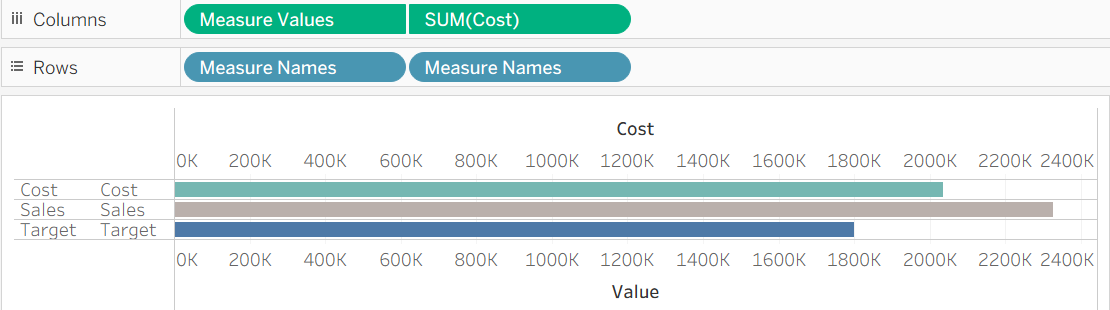
A better solution is to just do this from the beginning - which will only generate one Axis to measure all of the measures.
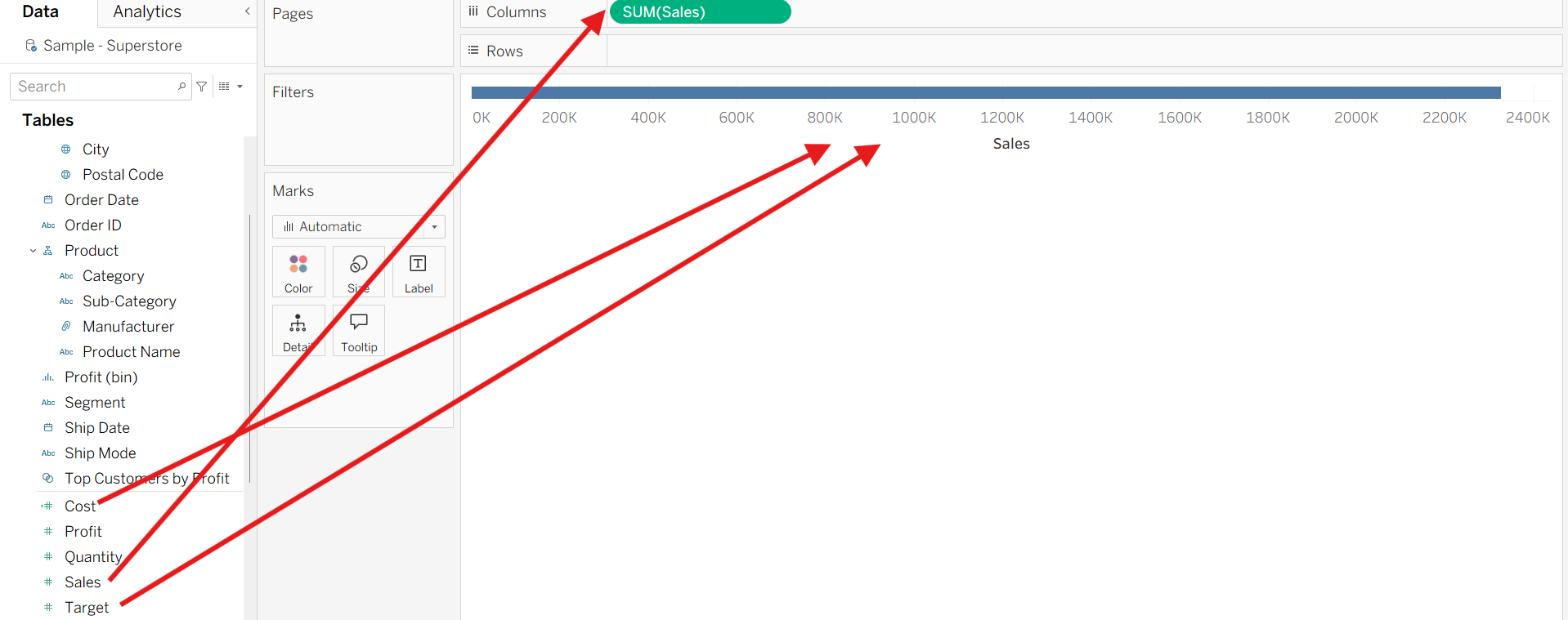
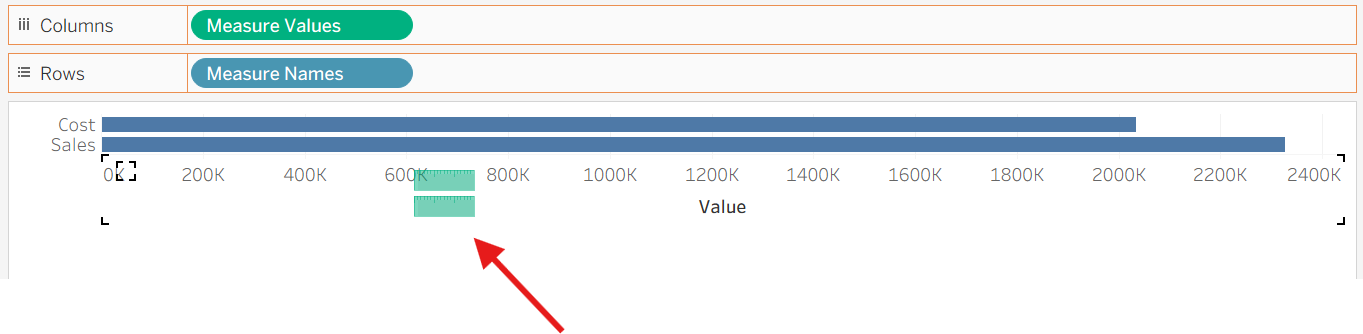

Now you can compare more than two measures on the same Axis!
Give it a try, and as you might have noticed this method uses Measure Names and Measure Values which come with its own set of rules. I recommend reading this blog by Kate Crawford to learn more about this topic!