


Something that fascinated me last year was playing this game called Pokémon Trading Card Game Pocket. I loved seeing all the rare and shiny cards, specifically EX and rare ones. We recently learned about Alteryx APIs and connecting APIs to view specific data, so I decided to do some research and found an API about Pokémon cards!
One thing I always make sure to do is check the documentation to see how the data will be output and if it returns in JSON format. From there I wanted to write out the flow I wanted to follow.
- Retrieve a list of Pokémon from the API.
- Narrow the list to Pokémon that frequently appear in EX and rare card sets.
- Allow the user to choose a Pokémon from the filtered list.
- Call the API again to retrieve cards for the selected Pokémon.
- During the call apply a rarity filter to include only:
- Rare Holo EX
- Double Rare
- Ultra Rare
- Randomly select one card from the filtered results.
- Generate and display the card image.
Doing this allowed me to create a structured approach to my development process and made it a lot easier to start building. I’ll go through how I developed this in Alteryx.
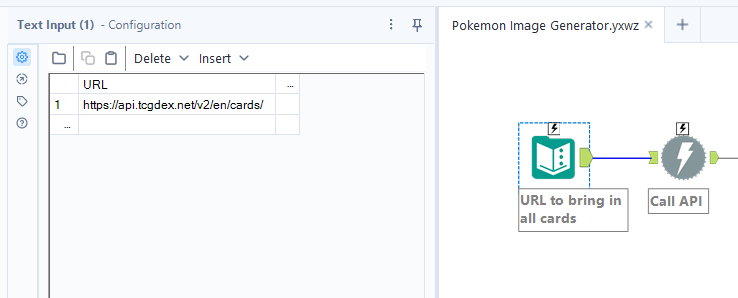
I started by bringing the Pokémon API URL into a text input tool, which fed into a download tool to retrieve a list of Pokémon to work with.
The data comes back as a large JSON file that needs to be parsed into columns and rows for easier reading, so I used the JSON Parse tool. This gave me two columns: JSON_name, which I treated as the category, and JSON Value String, which held the value. Looking at the data, it was clear that some cleanup would be needed.
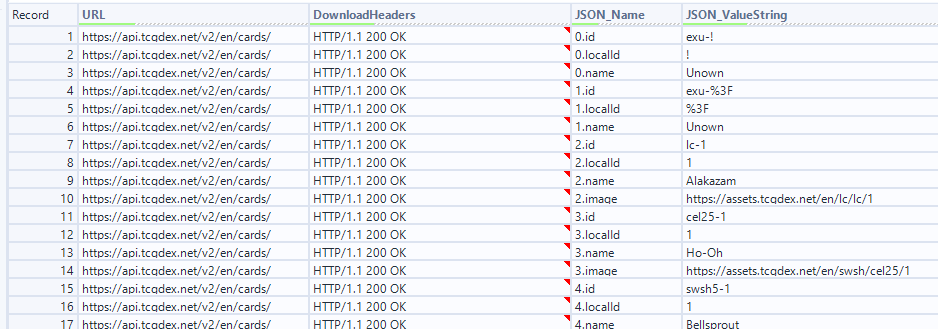
I noticed a pattern that made it easier to restructure the data. The JSON_Name column followed a consistent format where it was a numerical value before a "." followed by the category it belongs to.
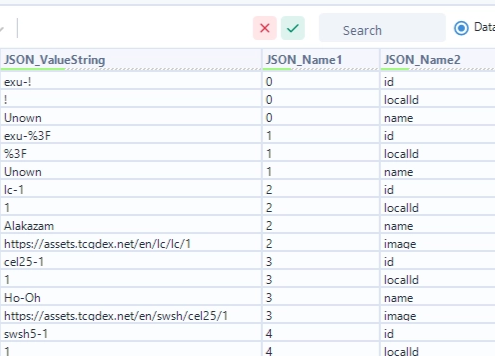
Using the Text to Columns tool, I split the JSON_Name column on the "." delimiter, giving me two separate columns, the number (JSON_Name1) and the category (JSON_Name2).
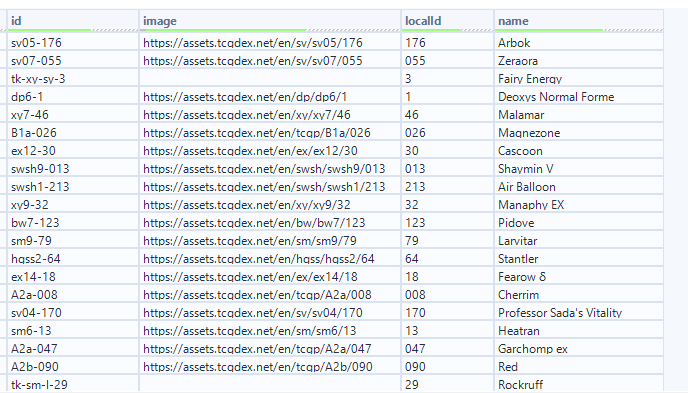
From there, I pivoted JSON_Name2 into columns and group by JSON_Name1 as the card ID. This gave me one row per card. I filtered the name column down to Pokémon that are known to appear on rarer cards and removed everything else.
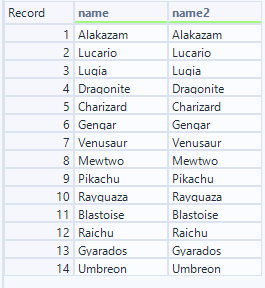
You might be wondering why there are two name columns. The Dropdown tool in Alteryx requires each selection to be its own column, it doesn't accept a simple vertical list of rows. So I needed two columns specifically, one for the display name the user sees, and one for the value passed into the workflow. With that in mind, I used a Crosstab to pivot the data into the structure the Dropdown tool expected.
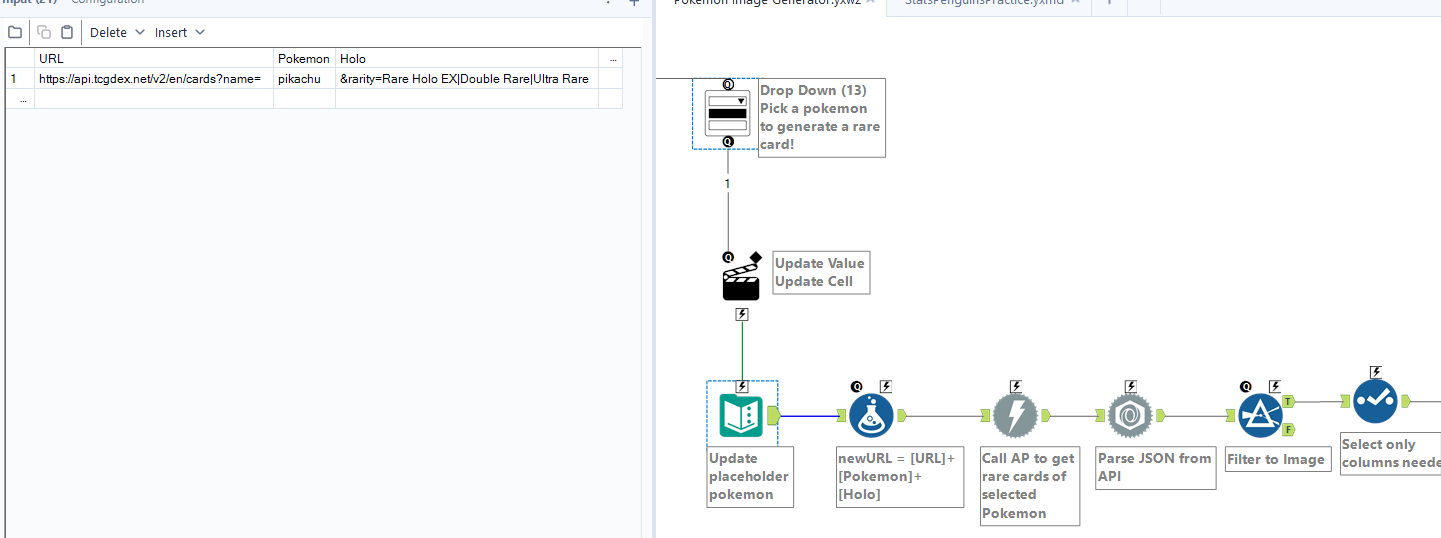
Once the user makes a selection, it updates the Text Input tool to replace the placeholder Pokémon field. From there, I called the API again to retrieve cards for the selected Pokémon and filtered the results to return only the image URLs.
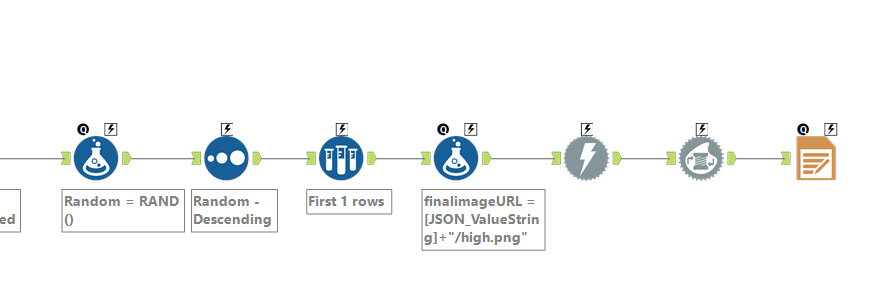
After grabbing the image URLs, I assigned a random value to each row using a random function, sorted descending, and sampled the first row. I then concatenated the URL with the "/high.png" extension required by the API and generated the image!
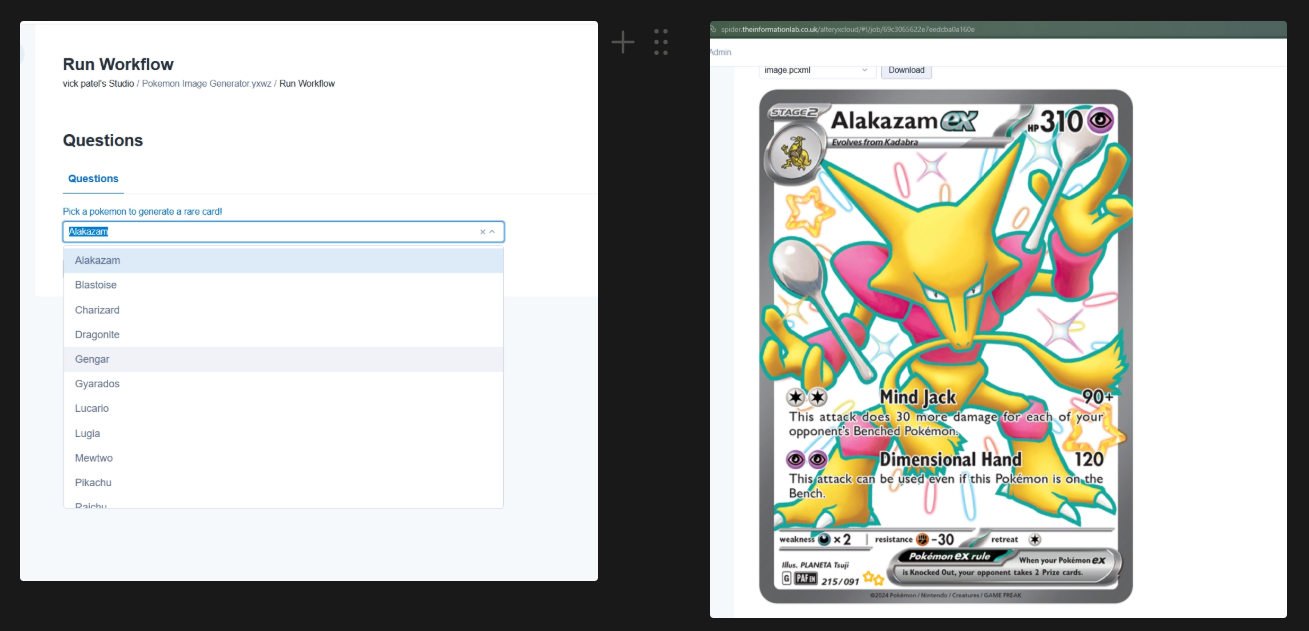
If you'd like to explore the workflow yourself, I've shared the link here where you can download it and take a look under the hood. Keep in mind that while the workflow is available to download, it won't be fully runnable just yet as we're fixing some bugs, but once that's done, you'll be able to run it directly and generate your own rare Pokémon cards!
This was a really fun project to build. Combining something I genuinely enjoy with a tool I'm learning made the whole process feel a lot more engaging. It pushed me to think through not just how to connect an API, but how to structure data, handle user inputs, and work through the problems that come up along the way. Thanks for reading!